 COME
COMEWhat the COME Menu Labels Mean When You First Browse
COME category labels organise content, while account controls and help topics organise personal tasks. Read the label in context before assuming it opens a download, a setting or support.
Start with the content categories
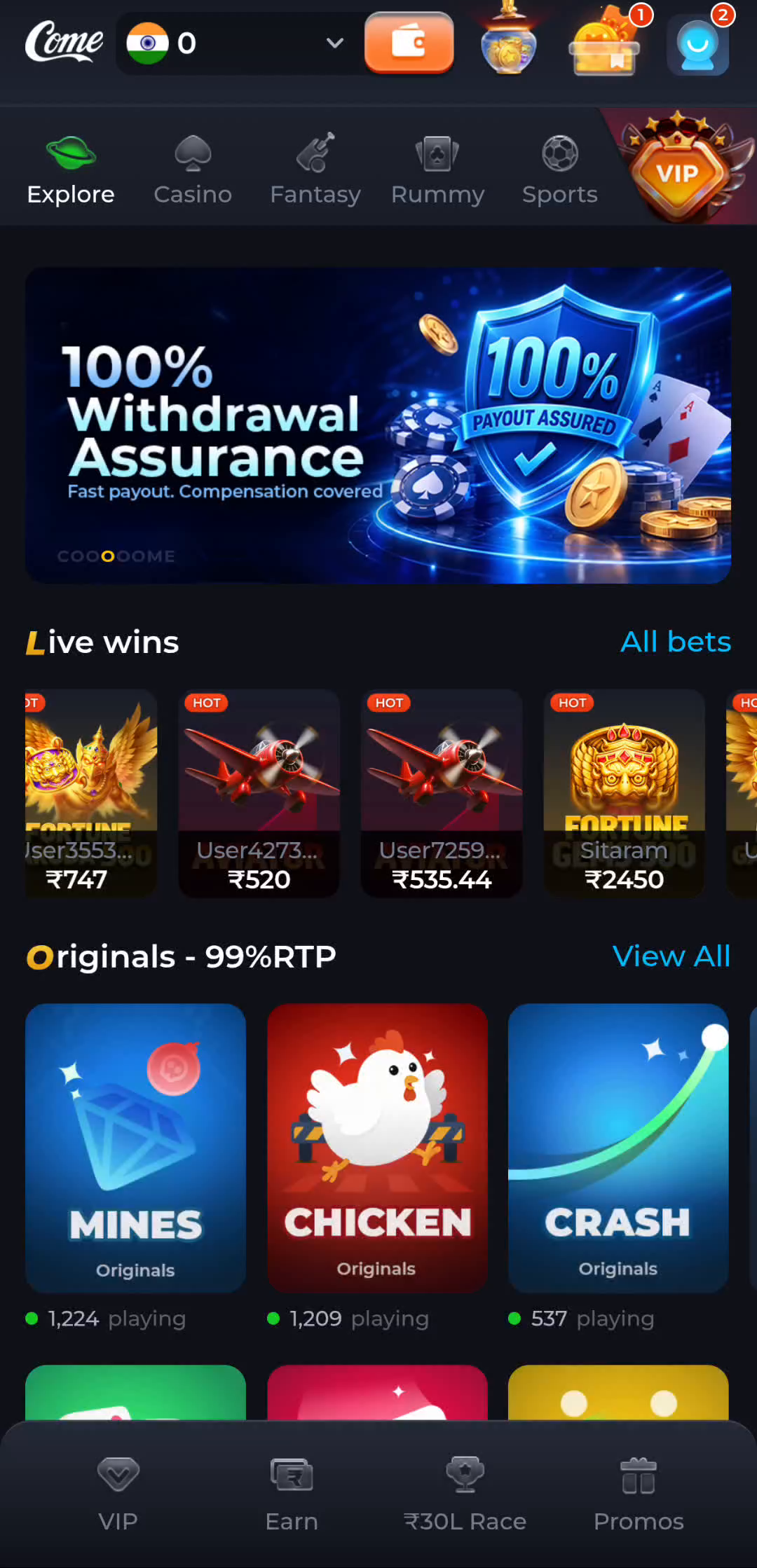
The pictured home screen has Explore, Casino, Fantasy, Rummy and Sports across its category row. These labels separate areas of the interface. A game tile belongs to a content area; it is not automatically an Android download button or an account-recovery action.
Keep account controls separate
The account menu contains items such as Account, Contact CS, Settings and Logout. Use Settings for the preferences shown there and Contact CS for help options available in your version. Account-related controls should be approached according to the task, not tapped to experiment with unrelated problems.
Read a help category as a starting point
The General section in Customer Center includes topics about forgotten passwords and network issues. Choose the topic that matches the message you see. A category name tells you how help is organised; it does not guarantee that every problem has the same cause or response time.
Do not carry promotional figures into another context
A balance, prize figure or activity count on an image describes that pictured interface. Read current conditions at the service before making any decision involving an account or paid activity. These guides do not promise a specific feature, reward or outcome.
Use the website pages for their own tasks
The COME overview explains the product and terminology. Download handles the Android file sequence, and Guides covers individual questions. The IPL page is a general cricket-information guide, so its presence should not be mistaken for confirmation of tournament access inside the app.
Continue with a related task
Check the Date and Context Before Trusting a Cricket Graphic